Resolve a merge conflict


Maya switched the dashboard's wind readings to knots on main. Meanwhile Sam, on feature/metric-units, switched them to metres per second. Both changed the same lines of src/feed.js, so when Maya merges Sam's branch, git can't choose between them. That's a conflict, and it needs a person to decide.
Steps
-
Merge. Right-click
feature/metric-unitsin the sidebar and choose Merge feature/metric-units into main. Git merges everything it can and stops at the conflict. A banner at the top says Merge in progress and how many files conflict. -
Find the conflicted files. Click Uncommitted changes. Conflicted files are listed first, under Conflicts.
-
Decide, file by file. For each file, either:
- choose Ours (keep your branch's version) or Theirs (take the incoming one) right there in the list, or
- click the file to open the conflict tool, when you need to see the detail or combine both.
-
Use the conflict tool. It shows your version (ours) and the incoming one (theirs) side by side, and below them the result, which you can edit.
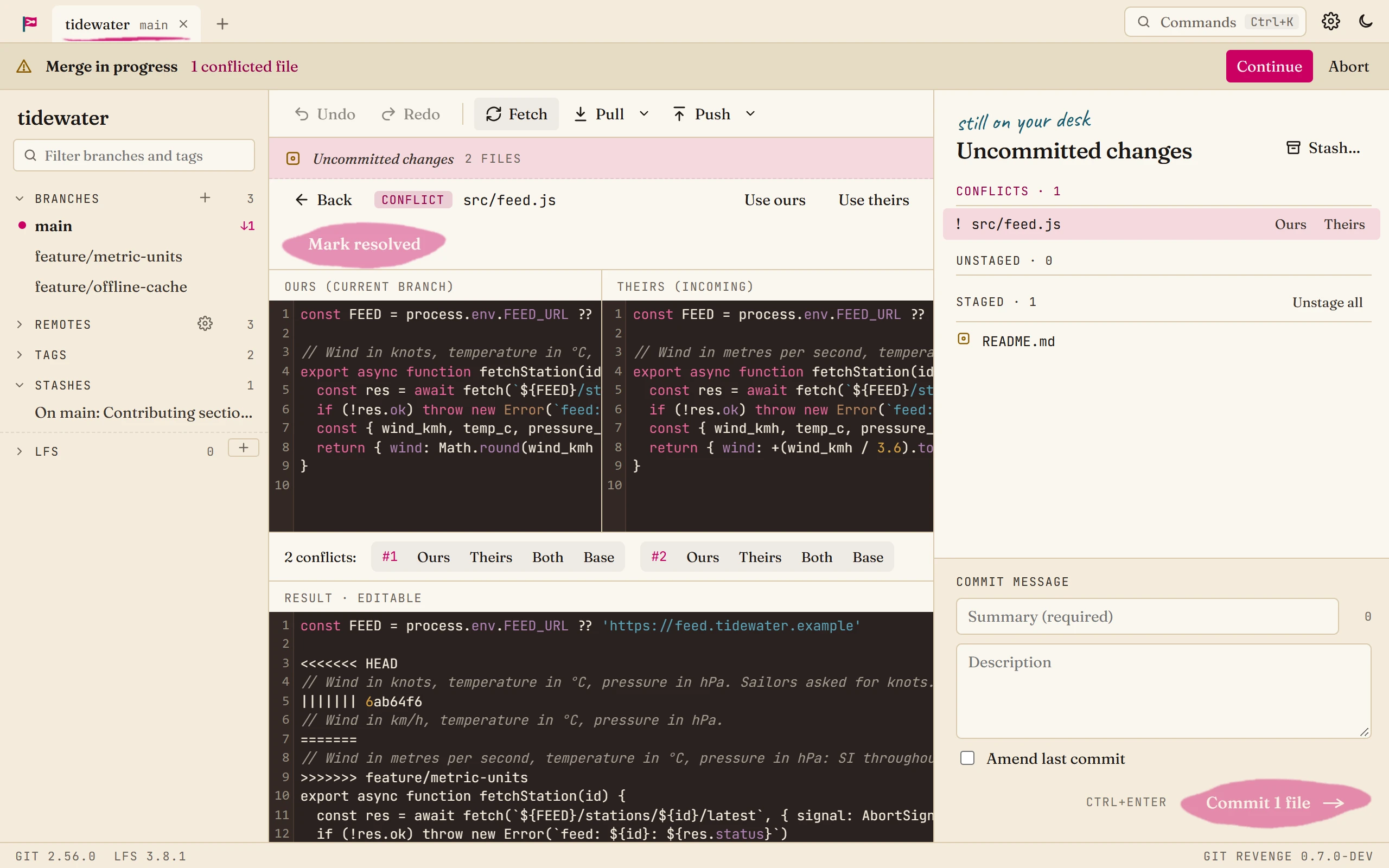
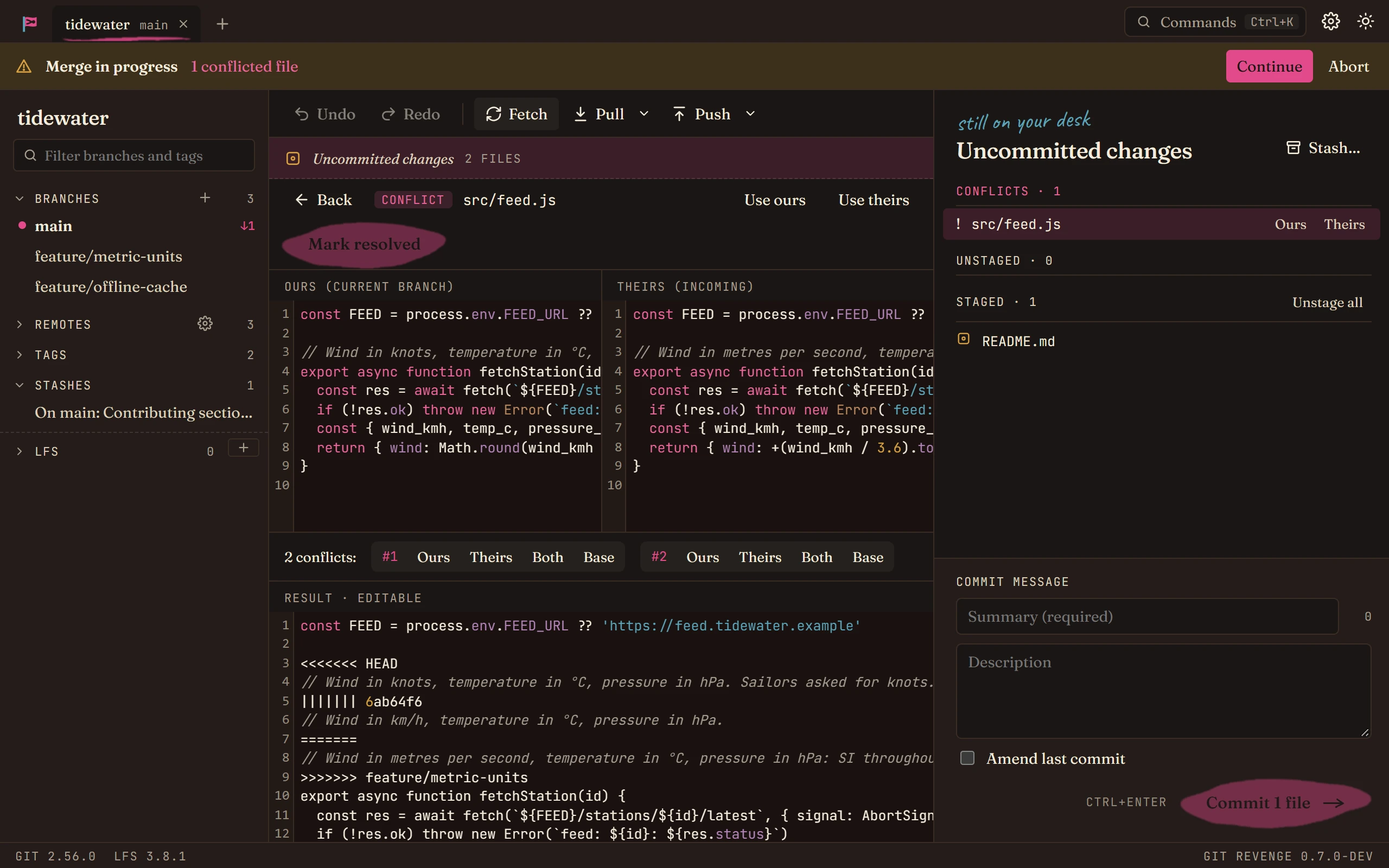
- Use ours and Use theirs at the top take one whole version.
- For each conflict in the file, the numbered buttons take Ours, Theirs, Both, or the Base they started from.
- Or edit the result by hand, for the cases where the answer is a bit of each.
When the result is right, click Mark resolved.
-
Finish the merge. Once nothing is left in Conflicts, click Continue in the banner. Git Revenge makes the merge commit.
Good to know
- Not ready to decide? Abort in the banner puts everything back as it was before the merge.
- Rebases and cherry-picks stop the same way. The banner says which operation is in progress, and the steps are the same. A rebase may stop more than once, once for each commit that conflicts.
- Started the merge in a terminal? Git Revenge notices, and shows the same banner and conflict list.
- Merged and regretted it? Ctrl+Z takes the merge back. See Undo a mistake.